Here’s an ArcGIS Pro project where the StateFace font (remember that?! thank you ProPublica!) is used as a point feature, centered over each state, and given a scale multiplier to set its actual-scale baseline.

This means you can add a data-driven scale multiplier to make a cartogram.
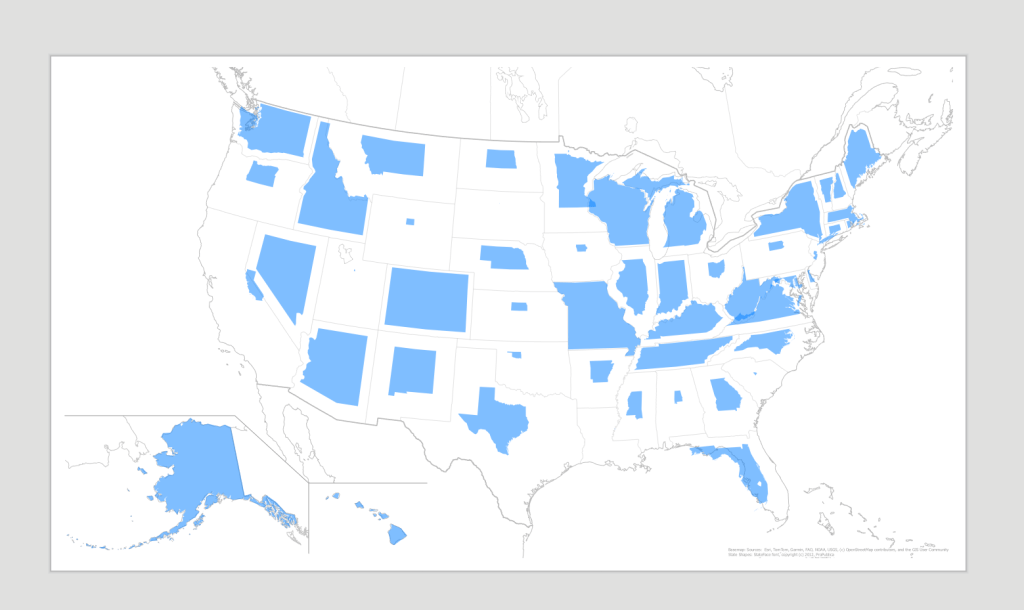
Here’s how to get rolling:
- Download this Pro project package.
- Install the StateFace font from ProPublica. https://propublica.github.io/stateface/
- You may need to restart Pro after font installation.
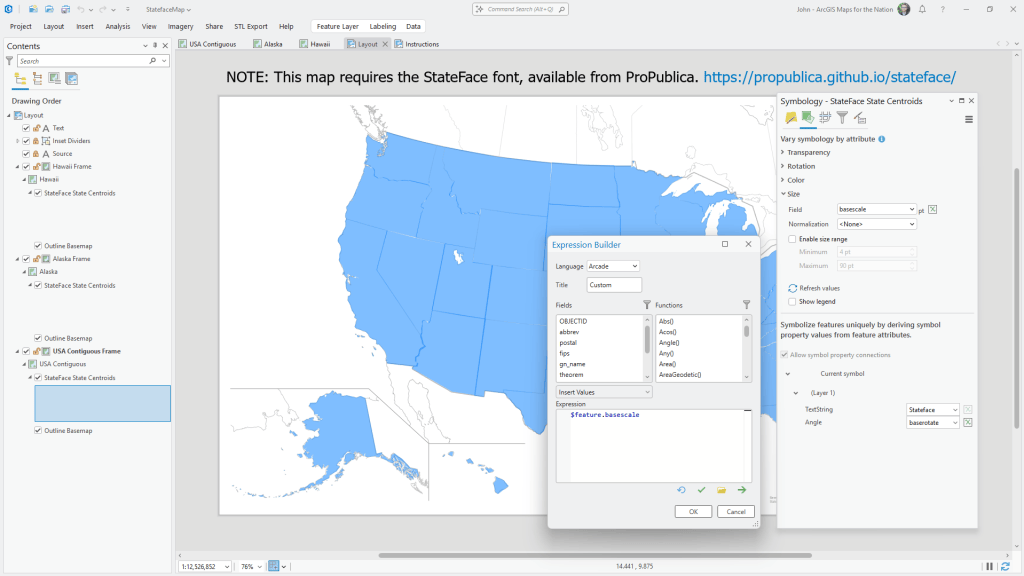
- Each state is a point feature with a state shape as its symbol. I painstakingly added a “basescale” attribute to set its size to fit geographically.
- To apply data-driven scaling, modify the “size” expression by a multiplier (as seen below, in the “Vary Symbology by Attribute” tab).
- Note: enlarging states will create issues of overlap. Consider a multiplier formula that scales down from this baseline.
- Note: the layout’s three map frames have a reference scale of 1:12,000,000. Changing this breaks the universe.
- Note: humans are really bad at effectively conceptualizing comparative area, so…
Might be fun. Might be insanely frustrating. Probably frustrating. But there’s only one way to find out.
Love, John