Basemaps can be a busy place. Highly variable visual content sitting behind your line features can make them hard to see. Also, maps with lots of feature types, like road networks, need a visual hierarchy so that the primary features are most visible, and so on. Think interstate expressways vs local roads in an atlas. In cartography we use “casing” to add a visually protective wrapper around our symbol. Typically it’s a contrasting tone from the center symbol, making them visually prominent and apparent over most any background.
Here’s an example of a hiking trail with and without line casing.
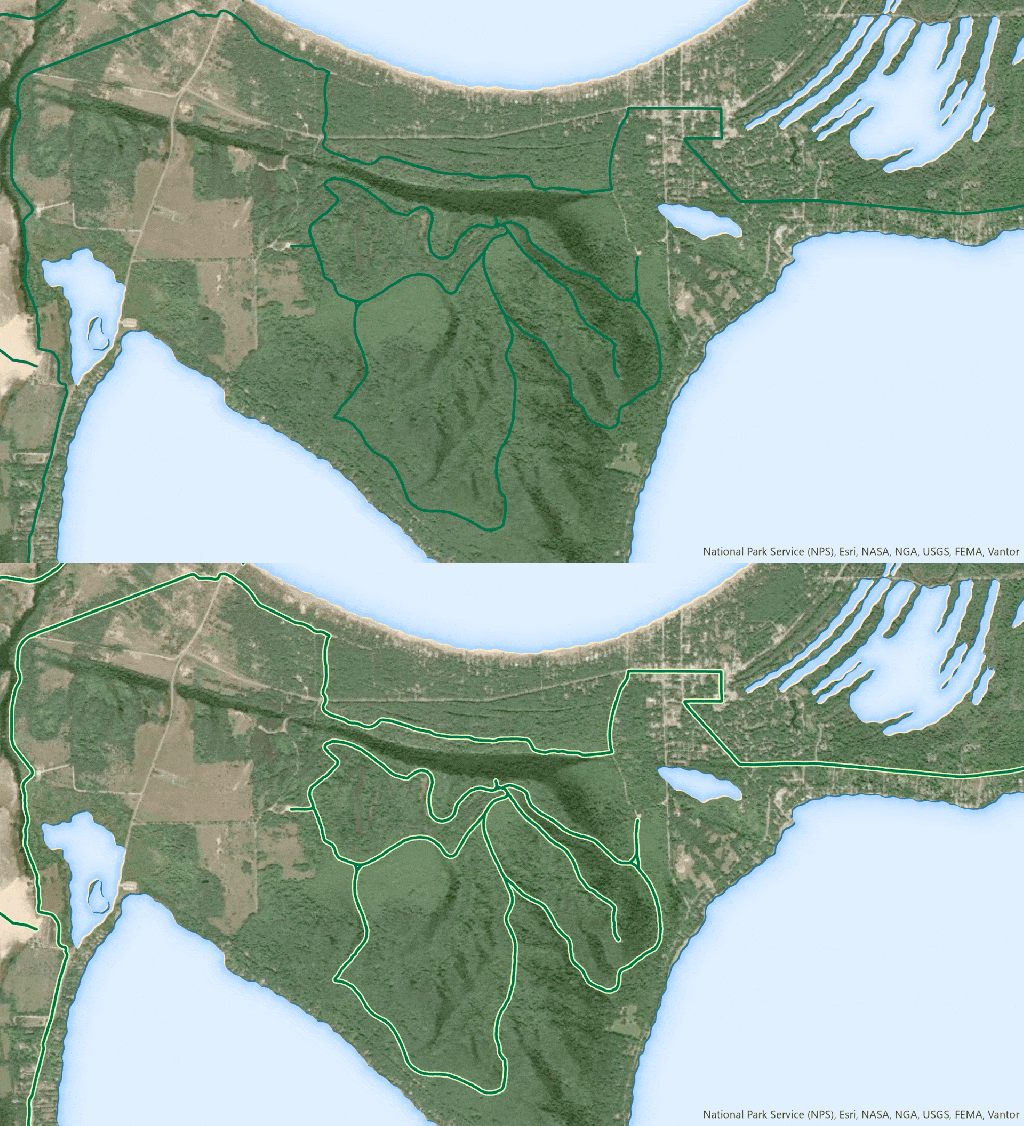
Here is how you can create cased lines in ArcGIS Pro and ArcGIS Online, and how to use symbol layer drawing to keep them from accidentally stacking up where they don’t belong.
0:00 Floating head introduction
0:14 How to create a cased line symbol in ArcGIS Pro
0:47 Avoid rendering gotchas with symbol layer drawing
1:12 Casing in ArcGIS Online
2:25 Getting creative with cased line symbology
2:53 Important chicken footage
Happy casing! Love, John